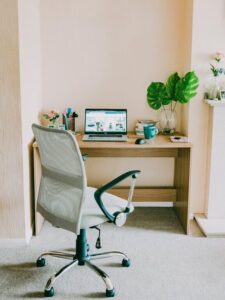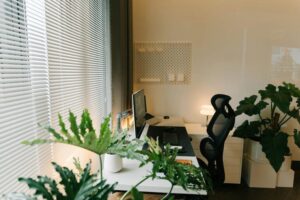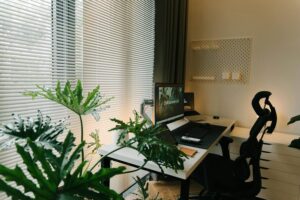
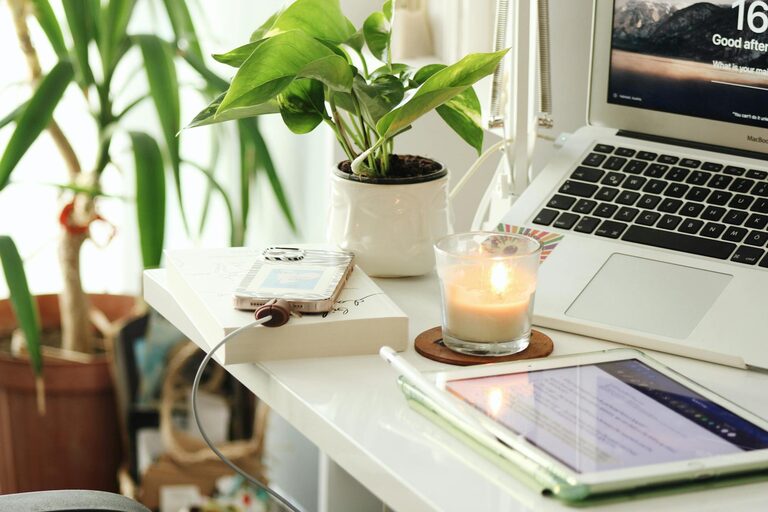
Creating a home workspace that feels cozy and supports your productivity can make a big difference in how you work each day. Whether you’re new to working from home or looking to improve your setup, a few thoughtful changes can help you stay comfortable and focused. This guide covers practical tips to balance comfort and efficiency in your home office.
Choose the Right Location
Selecting the best spot for your workspace is the first step. Think about the following:
– Natural light: Try to position your desk near a window. Natural light boosts mood and energy.
– Quiet environment: Find a space away from household noise and distractions.
– Adequate space: Ensure there’s enough room for your computer, supplies, and some personal touches without feeling cramped.
If you don’t have a dedicated room, a corner in a less-trafficked area can work well.
Invest in Comfortable and Functional Furniture
Your furniture plays a big role in both comfort and productivity.
Desk
– Choose a desk large enough for your work essentials—computer, notebooks, and other tools.
– A standing desk or adjustable desk can help you alternate between sitting and standing, promoting better posture.
Chair
– Select a chair with good lumbar support.
– An adjustable chair lets you maintain the right height and posture.
– Add a cushion or footrest if needed for extra comfort.
Organize Your Workspace
Clutter can hamper focus. Keeping your space organized helps maintain clear thinking.
– Use desk organizers, trays, or drawers to store supplies.
– Keep frequently used items within easy reach.
– Use cable management tools to tame cords and chargers.
– Schedule regular tidying sessions to keep your desk neat.
Personalize Your Space
Adding personal touches can make your workspace feel warm and inviting.
– Place a few small plants—they improve air quality and add natural beauty.
– Use artwork or photos that inspire you.
– Choose colors that help you feel calm and energized—soft blues and greens often work well.
– Add cozy elements like a blanket or soft lighting.
Optimize Lighting
Good lighting reduces eye strain and improves your mood.
– Combine natural light with layered artificial lighting.
– Use a desk lamp with adjustable brightness.
– Avoid harsh overhead lighting that causes glare on screens.
Manage Noise and Distractions
A calm environment helps you concentrate better.
– Use noise-canceling headphones or play background music if that helps.
– Set boundaries with others at home during work hours.
– Use apps or tools to block distracting websites if needed.
Set Up Technology Efficiently
Make sure your tech supports your workflow without frustration.
– Invest in a reliable internet connection for smooth video calls.
– Use a good quality monitor positioned at eye level to reduce neck strain.
– Have a separate keyboard and mouse if working on a laptop.
– Consider using wireless devices to reduce clutter.
Incorporate Break Spaces
Taking breaks is essential for maintaining productivity.
– Place a comfortable chair or cushion nearby for short rest periods.
– Step away from your desk for a quick stretch or walk.
– Keep a water bottle or healthy snacks close to stay refreshed.
Establish a Routine
Creating a routine helps differentiate work time from personal time.
– Set regular work hours and stick to them.
– Use a schedule or to-do list to organize tasks.
– Start your day by tidying your space to get into the right mindset.
Maintain Ergonomics
Ensuring your workspace supports your body reduces strain and fatigue.
– Position your screen at eye level about 20–30 inches from your eyes.
– Keep your wrists straight and elbows at a 90-degree angle when typing.
– Sit with feet flat on the floor or on a footrest.
—
Creating a home workspace that combines coziness with productivity doesn’t have to be complicated. By focusing on lighting, organization, comfort, and personal touches, you can build an environment that makes working from home both enjoyable and effective. Start small with these tips, and adjust your setup as you discover what works best for you.