Creating a home workspace that combines comfort and productivity is essential for anyone working remotely or managing tasks from home. A well-designed area can boost your focus, improve your mood, and make working from home more enjoyable. Here are some helpful tips to create a cozy and productive home workspace.
Choose the Right Location
Selecting the ideal spot in your home is the first step. Consider a space with natural light, minimal distractions, and enough room for your equipment.
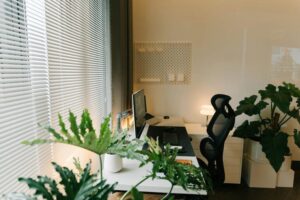
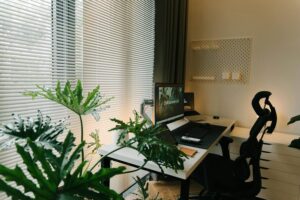
– Natural Light: Position your desk near a window if possible. Natural light can improve mood and energy levels.
– Quiet Zone: Pick a quieter area away from heavy foot traffic or noise from TV or kitchen appliances.
– Space Considerations: Make sure there’s enough room for your computer, workspace tools, and some personal touches.
Invest in Comfortable Furniture
Comfort means productivity. Sitting for long periods requires supportive and ergonomic furniture.
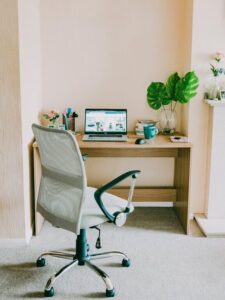
– Ergonomic Chair: Choose a chair that supports your back and allows good posture.
– Desk: Your desk should be at a height that keeps your arms bent at about 90 degrees when typing.
– Adjustability: Consider adding a standing desk converter if you want to alternate between sitting and standing.
Organize and Declutter
Clutter can distract and reduce productivity. Keep your space tidy and organized.
– Storage Solutions: Use shelves, drawers, or baskets to keep items out of the way but within reach.
– Cable Management: Use clips or ties to secure cords, keeping your desk neat.
– Minimalism: Keep only essentials on your desk to create a clean and focused environment.
Personalize Your Space
Adding personal touches makes your workspace inviting and motivates you to spend time there.
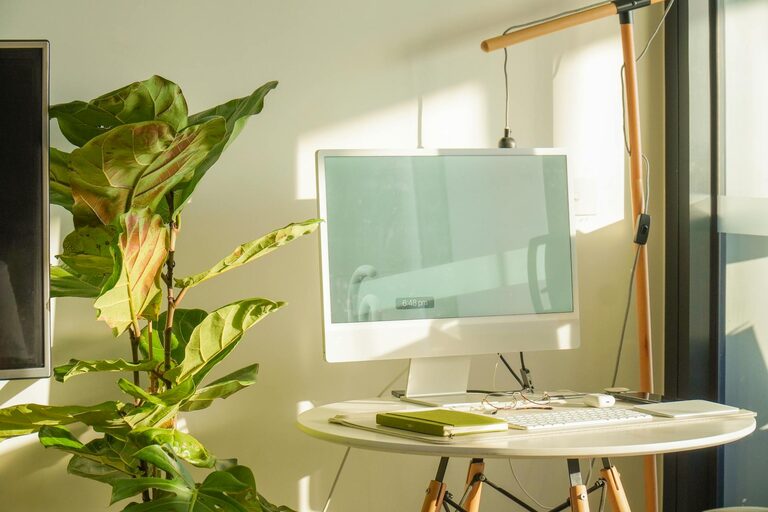
– Plants: Small indoor plants or succulents add life and improve air quality.
– Colors: Use colors that soothe or energize you, such as soft blues for calm or yellow for creativity.
– Decor: Artwork, photos, or inspirational quotes can make the area feel unique and comfortable.
Optimize Lighting
Proper lighting helps reduce eye strain and sets the right mood for work.
– Task Lighting: A desk lamp with adjustable brightness can provide focused light.
– Avoid Glare: Position screens and lights to avoid reflections on your monitors.
– Ambient Lighting: Soft, indirect lighting makes the space inviting during early mornings or late evenings.
Set Clear Boundaries
Defining your work area helps mentally separate work from personal time.
– Dedicated Workspace: Try to use the same place every day for work to build routine.
– Separate Work Hours: Use schedules to start and end your workday, signaling transitions.
– Communicate: If you live with others, explain your workspace boundaries to minimize interruptions.
Incorporate Technology Wisely
The right tools improve efficiency without cluttering your space.
– Monitor Setup: Multiple monitors or larger screens can boost productivity for certain tasks.
– Keyboard and Mouse: Choose ergonomic options that reduce strain.
– Headphones: Noise-canceling headphones help maintain focus, especially in noisy environments.
Maintain Your Workspace Regularly
A workspace needs regular upkeep to remain cozy and productive.
– Daily Tidying: Spend a few minutes each day tidying your area.
– Weekly Deep Clean: Dust surfaces, clean your keyboard and monitor screens.
– Rearrange Occasionally: Refresh the layout or decor periodically to keep things inspiring.
Practice Comfort Habits
Beyond the physical space, incorporating habits that enhance comfort benefits productivity.
– Take Breaks: Short breaks help reduce fatigue and improve concentration.
– Stay Hydrated: Keep water nearby to stay refreshed.
– Stretch: Simple stretches during breaks can relieve tension and improve circulation.
—
Creating a cozy and productive home workspace is about balancing comfort, organization, and functionality. With thoughtful planning and personalization, your workspace can become a place you look forward to working in every day. Try implementing these tips one step at a time and adjust based on what works best for you. Happy organizing!