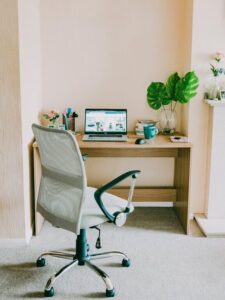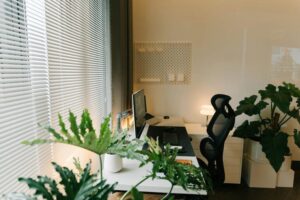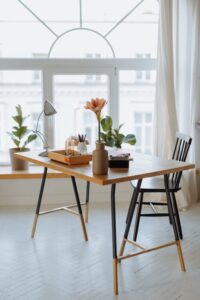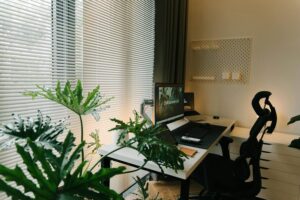

Creating a home workspace that is both cozy and functional can significantly improve your comfort and productivity. Whether you’re working remotely, studying, or managing household tasks, having a dedicated space tailored to your needs helps maintain focus and reduce stress. In this post, we’ll explore practical tips to design a workspace that feels inviting and supports your daily activities.
Choose the Right Location
Selecting the best spot for your workspace is the foundation of a comfortable and efficient home office. Here are some factors to consider:
– Natural light: Position your desk near a window to take advantage of daylight. Natural light boosts mood and reduces eye strain.
– Quiet environment: Choose a quieter area away from household noise and high-traffic zones.
– Space availability: Ensure there’s enough room for your desk, chair, and storage without overcrowding.
If space is limited, consider multifunctional areas like a corner of the living room or bedroom that can be transformed into a work zone during the day.
Invest in Comfortable and Ergonomic Furniture
Comfort is key when spending long hours at your workspace. Ergonomic furniture supports good posture and minimizes discomfort.
– Ergonomic chair: Select a chair with adjustable height, lumbar support, and comfortable cushioning.
– Desk height: Your desk should allow your elbows to be at a 90-degree angle when typing.
– Keyboard and mouse: Use accessories that reduce wrist strain, like a padded mouse pad or ergonomic keyboard.
– Footrest: If your feet don’t rest flat on the floor, use a footrest to improve circulation.
Comfortable furniture encourages longer focus without pain or fatigue.
Personalize Your Workspace for Coziness
Adding personal touches makes your workspace inviting and reduces stress.
– Soft textiles: Incorporate a cozy throw blanket or a cushion on your chair.
– Warm lighting: Use desk lamps or string lights with warm tones to create a relaxing atmosphere.
– Plants: Add greenery such as succulents or small potted plants. Plants improve air quality and add a refreshing aesthetic.
– Artwork and photos: Decorate the walls with art or personal photos that inspire you.
– Scents: Use subtle scents like lavender or eucalyptus with essential oil diffusers for a calming environment.
Personalization helps transform your workspace from a purely functional area into a space you enjoy spending time in.
Organize for Efficiency
A clutter-free workspace supports concentration and productivity. Consider these organizing tips:
– Storage solutions: Use shelves, drawers, or filing cabinets to keep documents and supplies organized.
– Desk organizers: Use trays, pen holders, and cable management tools to keep essentials within reach without clutter.
– Digital organization: Keep your digital files arranged in folders and backed up regularly.
– Minimalism: Only keep necessary items on your desk to minimize distractions.
Maintaining an organized area reduces stress and saves time searching for items.
Optimize Lighting for Comfort and Productivity
Good lighting is essential to avoid eye strain and maintain alertness.
– Natural light: As mentioned, positioning near windows is ideal.
– Task lighting: Use adjustable desk lamps to focus light where you need it most.
– Avoid glare: Position screens perpendicular to windows or use blinds to reduce glare.
– Balanced overall lighting: Combine ambient and task lights to create even illumination.
Adequate lighting improves comfort and helps you stay focused during work hours.
Set Boundaries Between Work and Relaxation
When working from home, separating your work area from relaxation spaces helps maintain a healthy balance.
– Dedicated workspace: Use a separate room or clearly defined area to mentally separate work from home life.
– Clear start and end times: Establish routines to start and finish your workday.
– Visual cues: Close workspace doors or use room dividers to signal when you’re working.
– Break areas: Have a comfortable place to take breaks away from your desk.
These boundaries prevent burnout and promote work-life balance.
Keep Technology Efficient and Comfortable
Your technology setup influences how smoothly your workday goes.
– Reliable internet: Ensure your home network has strong and stable connectivity.
– Screen positioning: Position monitors at eye level about 20-30 inches away to reduce neck and eye strain.
– Headset or headphones: Use noise-canceling headphones for calls or focus in noisy environments.
– Cable management: Organize cords to prevent tangling and hazards.
Maintaining your tech setup enhances comfort and reduces interruptions.
Add Elements That Boost Motivation
Incorporate elements that encourage productivity and motivation.
– Inspiring quotes: Place motivational quotes or goal reminders where you can see them.
– Whiteboard or bulletin board: Use these to track tasks, deadlines, or brainstorm ideas.
– Rewards: Set small rewards for completing tasks to foster positive habits.
These tools and reminders help keep you focused and motivated throughout the day.
—
Creating a cozy and functional home workspace doesn’t have to be complicated. With thoughtful planning and a few personal touches, you can establish an area that supports your work needs while offering comfort and inspiration. Start with these tips and adjust your space as you discover what works best for you. A well-designed workspace will not only improve productivity but also contribute to your overall well-being.